
DubaiDo
A modern discovery platform designed to help residents and tourists find the best and most exciting things to do in Dubai
Type/Skills
- UI/UX
- Web Design
- Responsive Design
Tools Used
- Figma
- Adobe Photoshop
Production
- 2026
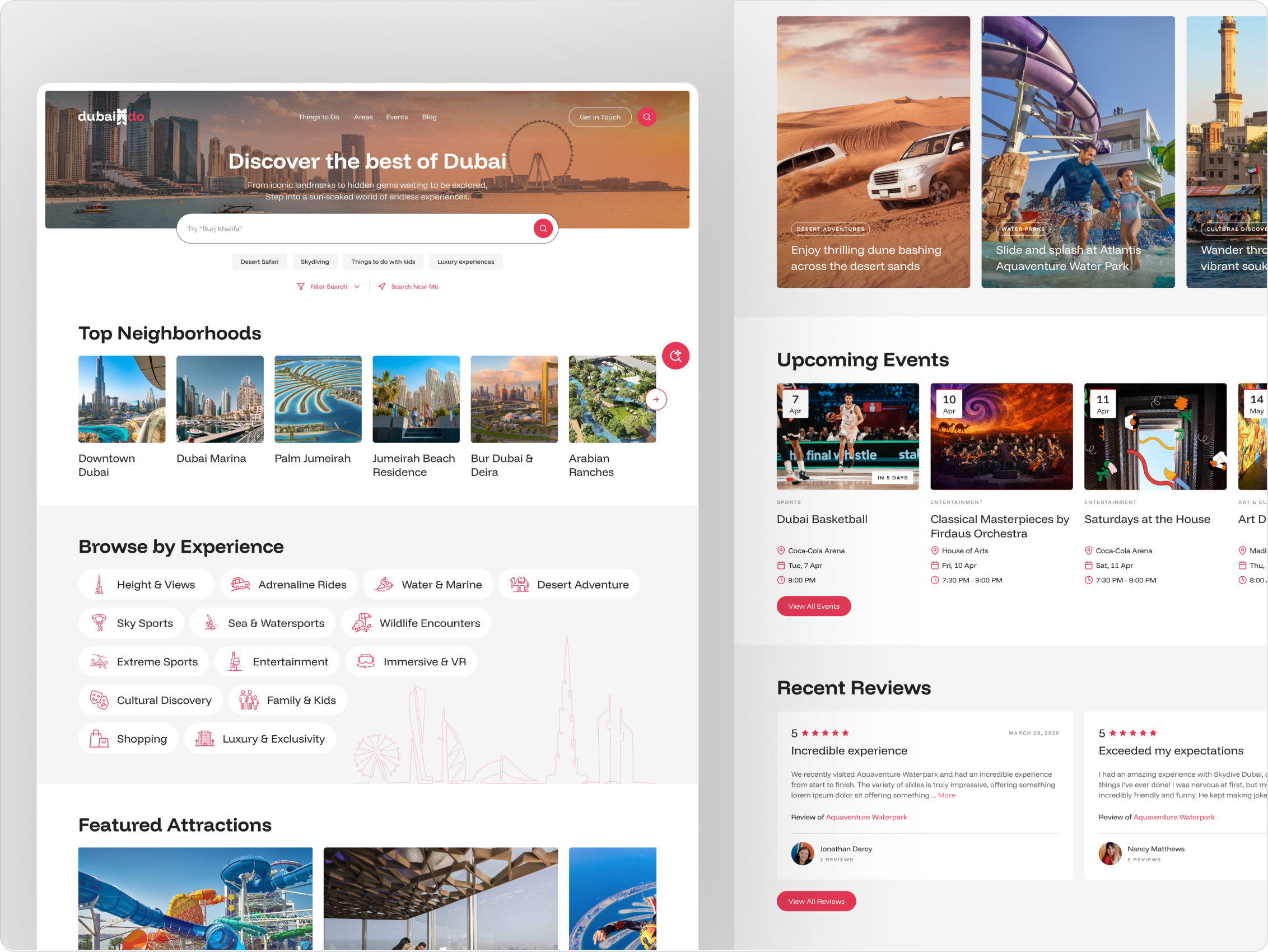
The Problem
Dubai has an overwhelming amount of things to do, eat, see and explore. First-time visitors and long-term residents alike often don't know where to start. The homepage needed to feel like a knowledgeable local friend, showcasing the right experiences without overwhelming the user.
Design Thinking
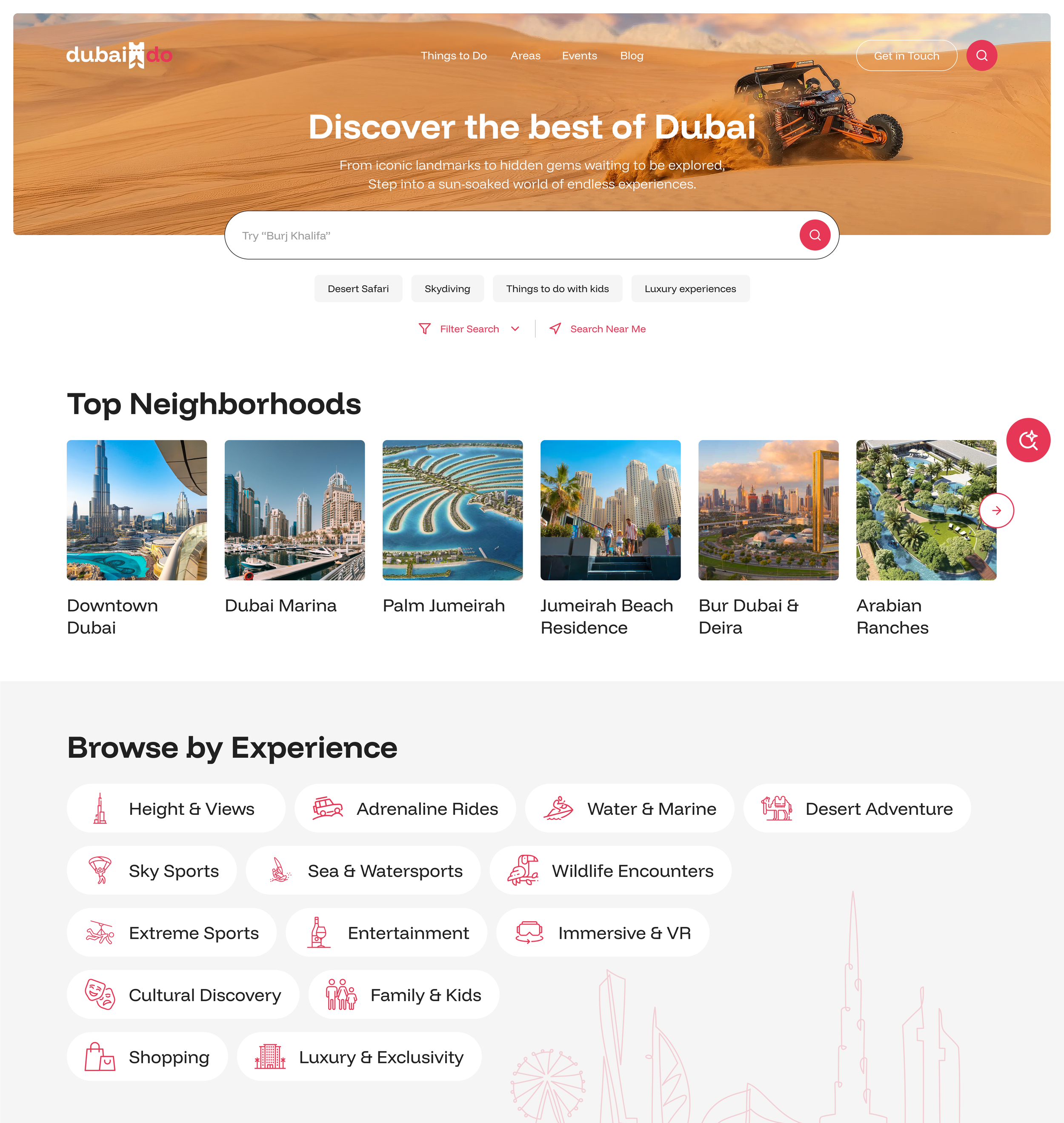
I strongly felt that progressive disclosure was a way to go with this for starters. The information hierarchy was built around how people actually browse: by area or neighborhood familiarity, by the type of experience they’re after, by what's trending, and by something they probably don’t want to overthink—this is where the curated options come in.
Rather than a generic listing page, the homepage functions as a layered discovery engine, with each section serving a different user mindset and intent.
Key Decisions
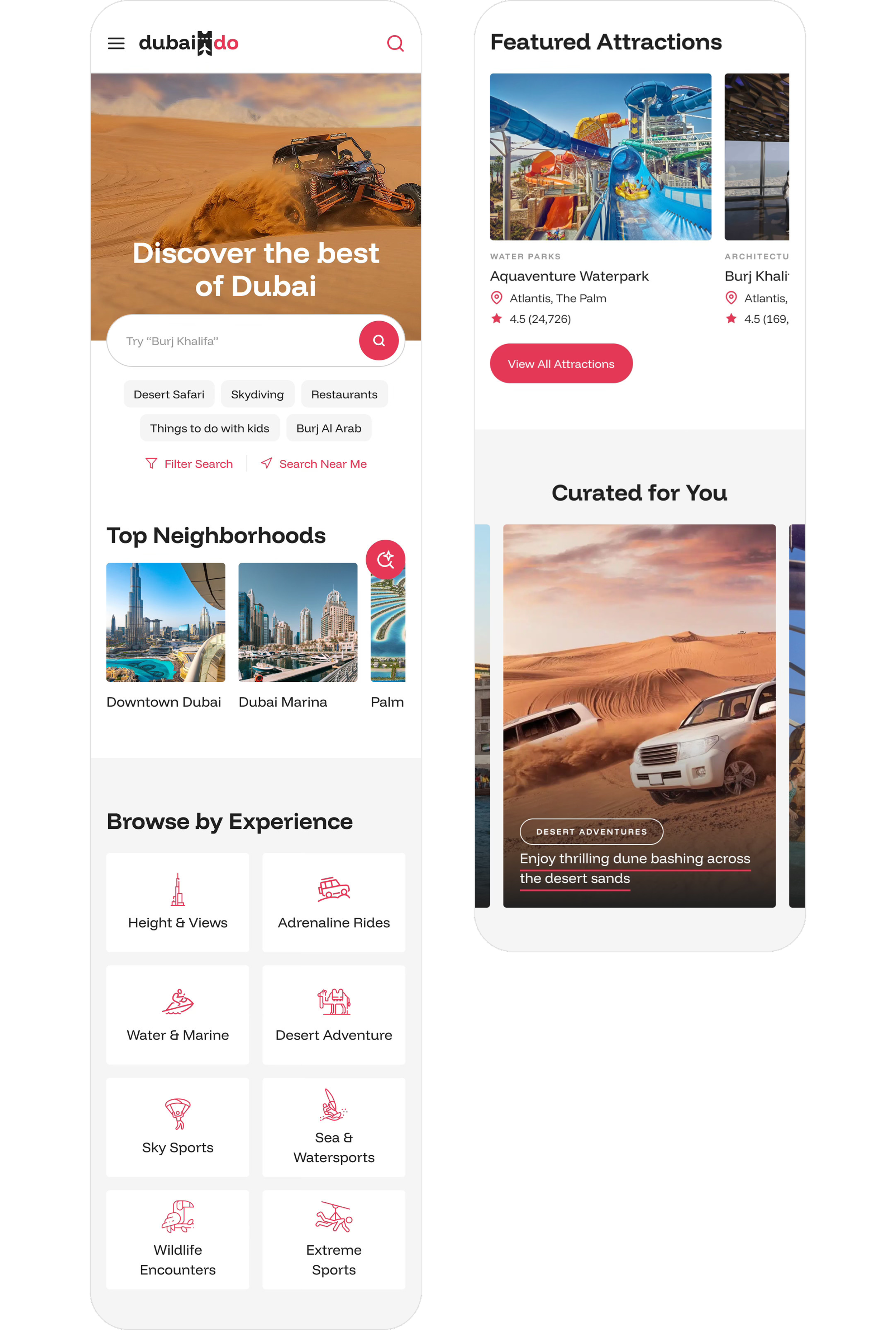
Browse by Experience categories use icons and labels to reduce cognitive load and speed up the decision-making
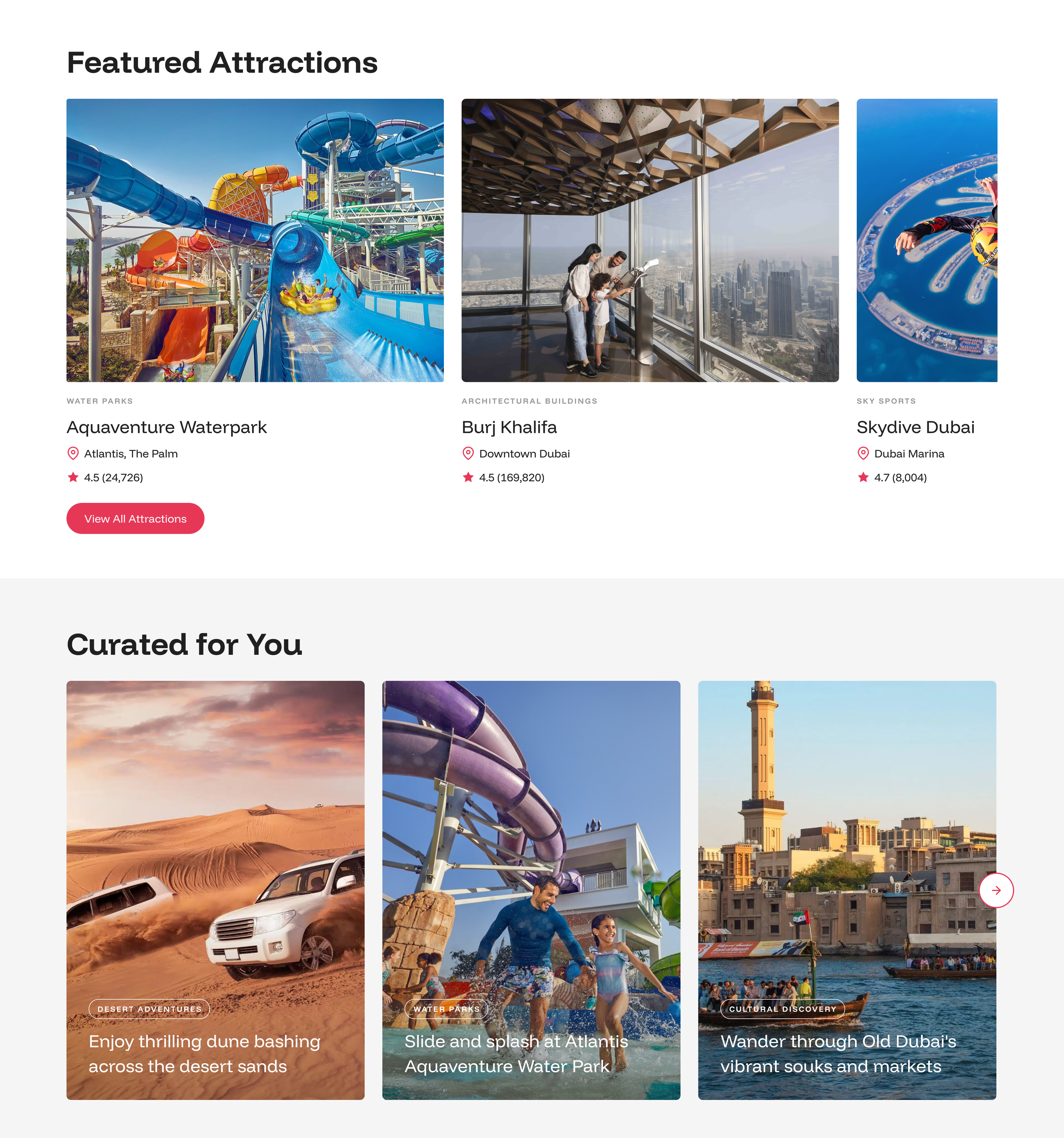
Featured Attractions highlights handpicked top experiences, and the Curated For You adapts to the user's browsing behavior and preferences, while also serving as a flexible editorial space, giving content teams the ability to feature sponsored or promoted venues without disrupting the user’s discovery experience.
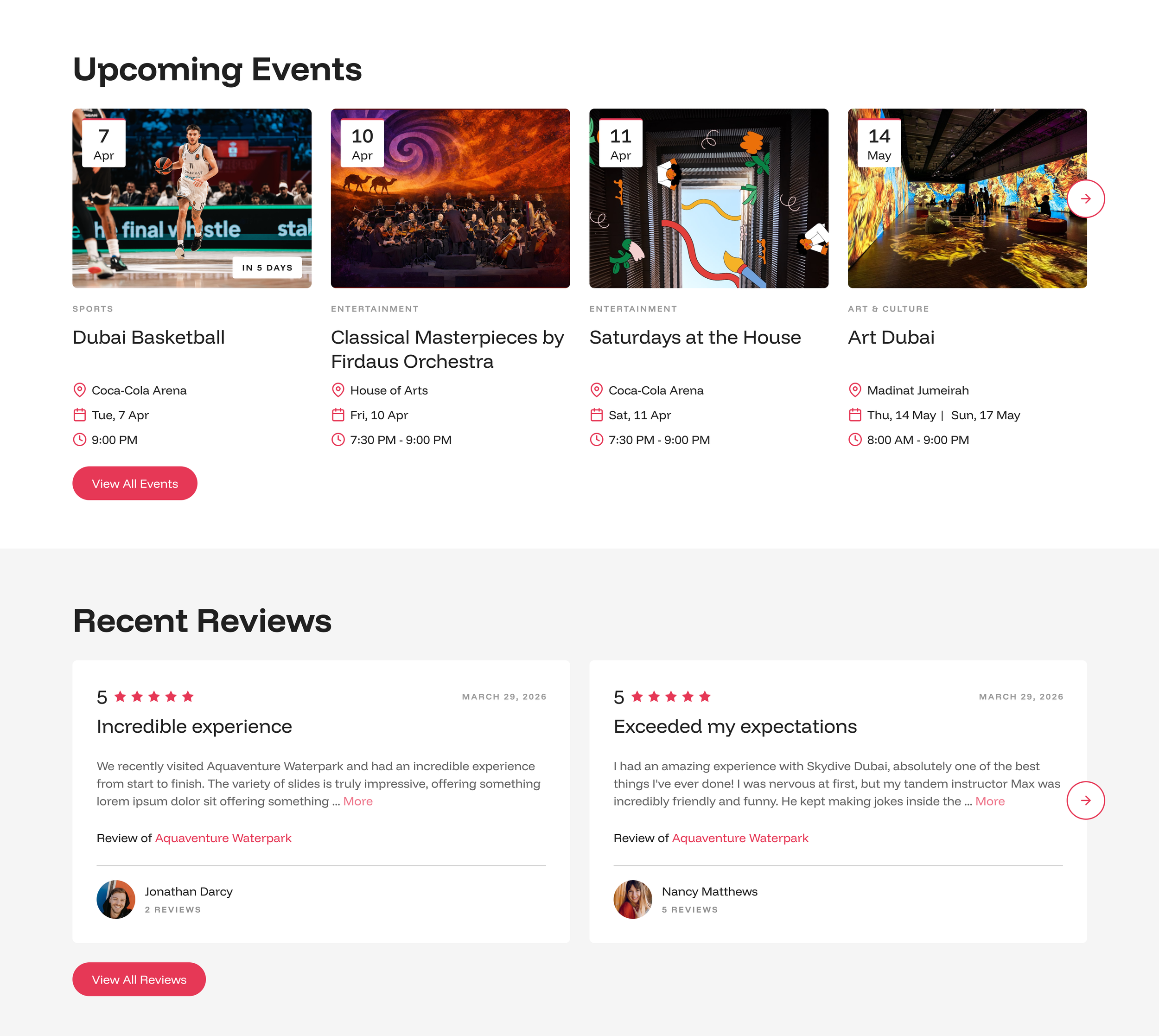
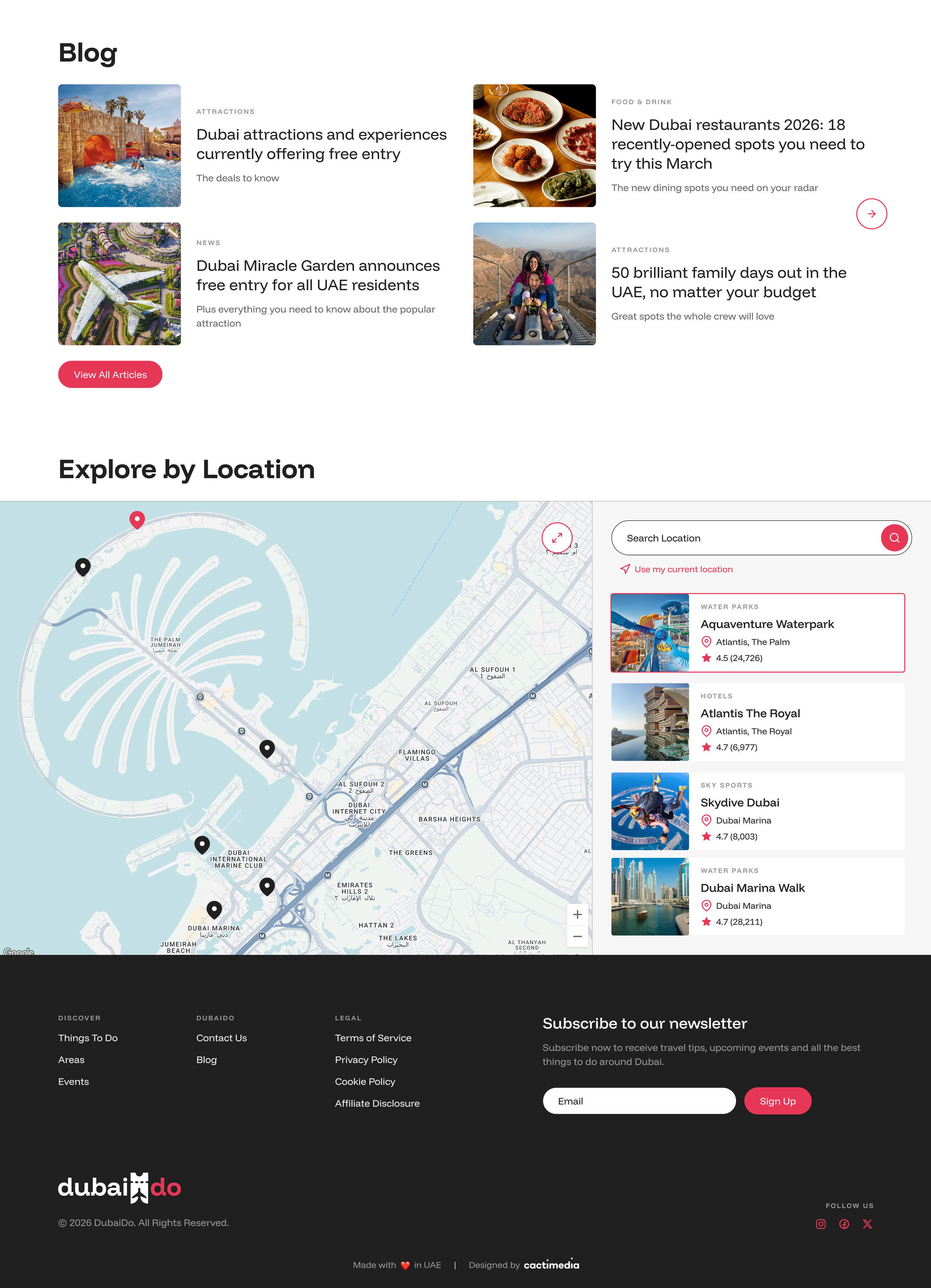
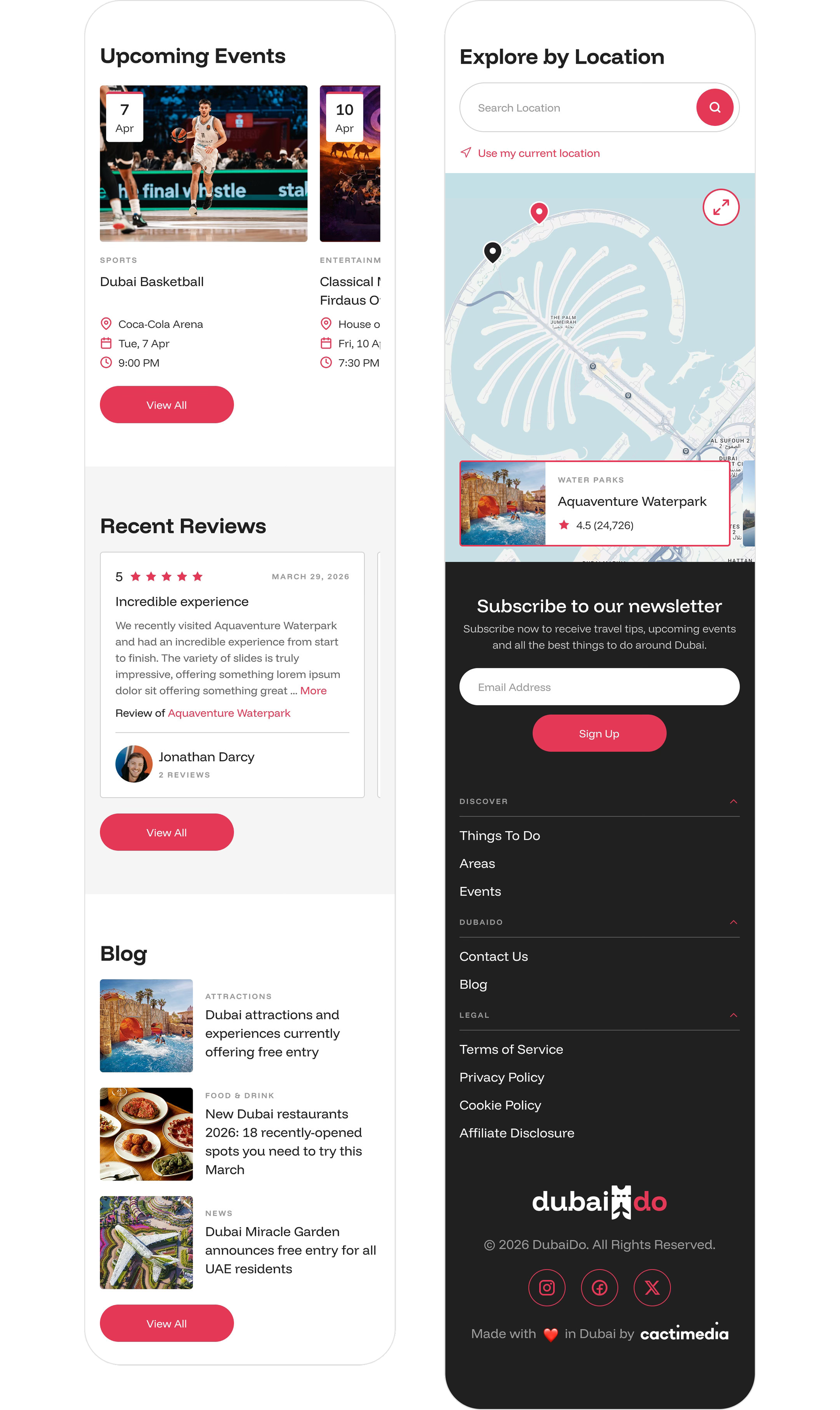
Upcoming Events, Recent Reviews and Blog sections add time-sensitivity and social proof, two key trust signals for tourism platforms
The Explore by Location and newsletter sections anchor the bottom of the page with two distinct next actions: going deeper geographically or subscribing to stay connected
From Desktop to Mobile
Once the desktop homepage was approved, I then translated the experience for mobile, rethinking the layout hierarchy for smaller screens and touch-first interactions. Horizontal scrolling carousels replaced multi-column grids, section spacing was tightened, and tap targets were sized for comfortable one-handed use, all while preserving the same layered discovery flow and logic from the desktop version.
Outcome
A homepage that guides without overwhelming, giving users multiple entry points based on their browsing style, whether they know exactly what they want or are still in discovery mode.
A closer look at the key features
The homepage was just the starting point. DubaiDo is a multi-layered platform, and each feature needed the same level of intentional thinking, from how users browse and filter hundreds of experiences, to how they discover something unexpected, search across the whole platform, and ultimately decide to check something out.
Below is a deeper look at the core features that make up the full DubaiDo discovery platform experience.
Smart Discovery Tool
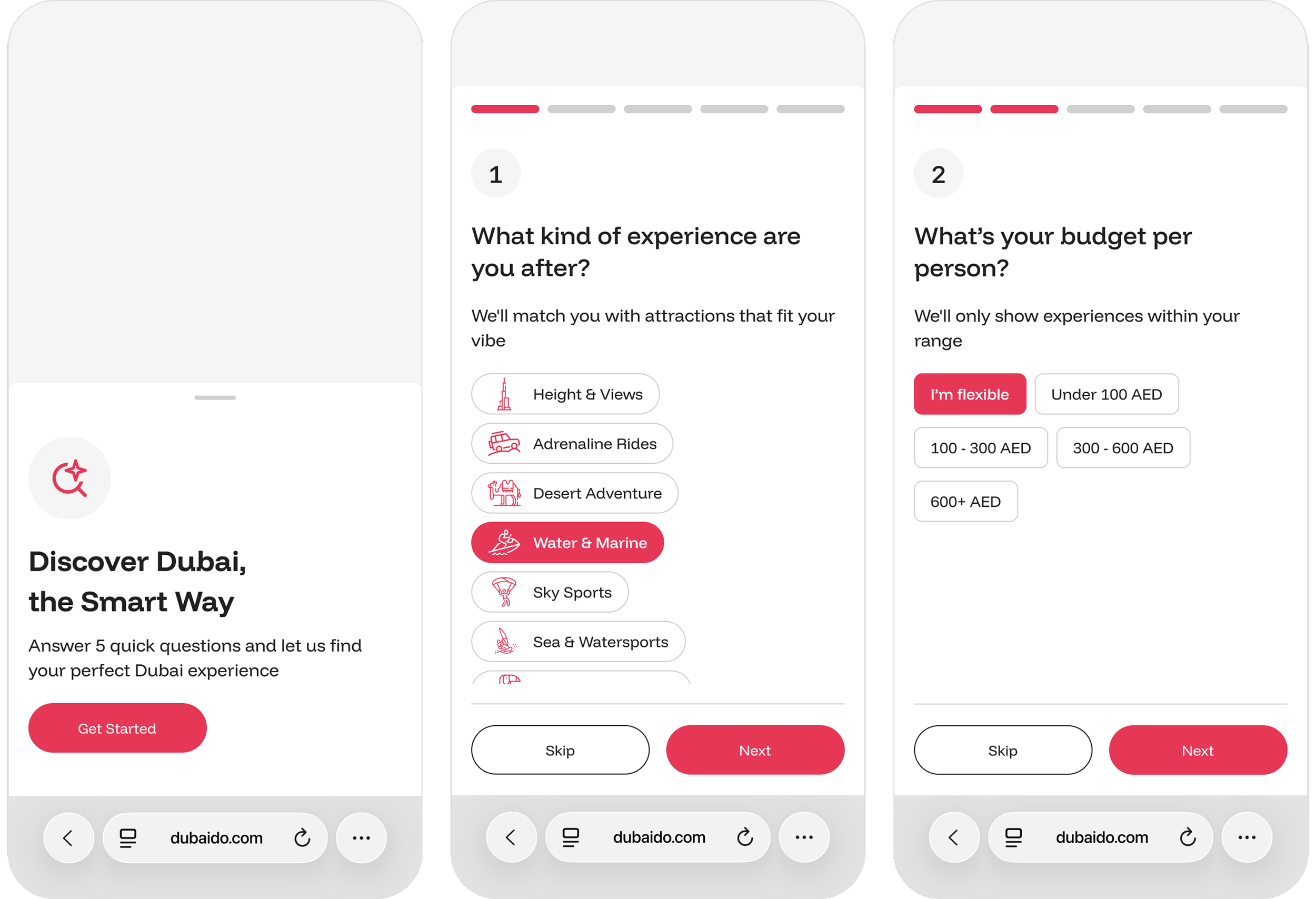
For users who don't know where to start, the Smart Discovery Tool guides them through 5 quick questions: experience type, budget, group size, thrill level, and travel timing, to show personalized results without the overwhelm of open-ended browsing. Each question was written conversationally, in sequence from the broadest to most specific, and designed with Skip options to keep friction
low throughout.
From Desktop to Mobile
Once the desktop homepage was approved, I then translated the experience for mobile, rethinking the layout hierarchy for smaller screens and touch-first interactions. Horizontal scrolling carousels replaced multi-column grids, section spacing was tightened, and tap targets were sized for comfortable one-handed use, all while preserving the same layered discovery flow and logic from the desktop version.
Outcome
A homepage that guides without overwhelming, giving users multiple entry points based on their browsing style, whether they know exactly what they want or are still in discovery mode.

Make it stand out.
It all begins with an idea. Maybe you want to launch a business. Maybe you want to turn a hobby into something more. Or maybe you have a creative project to share with the world. Whatever it is, the way you tell your story online can make all the difference.

Make it stand out.
It all begins with an idea. Maybe you want to launch a business. Maybe you want to turn a hobby into something more. Or maybe you have a creative project to share with the world. Whatever it is, the way you tell your story online can make all the difference.